
Fixing the Content of the New Page
Next, we fix up the content of the new page
1) Now, click on the Edit to edit the page contents
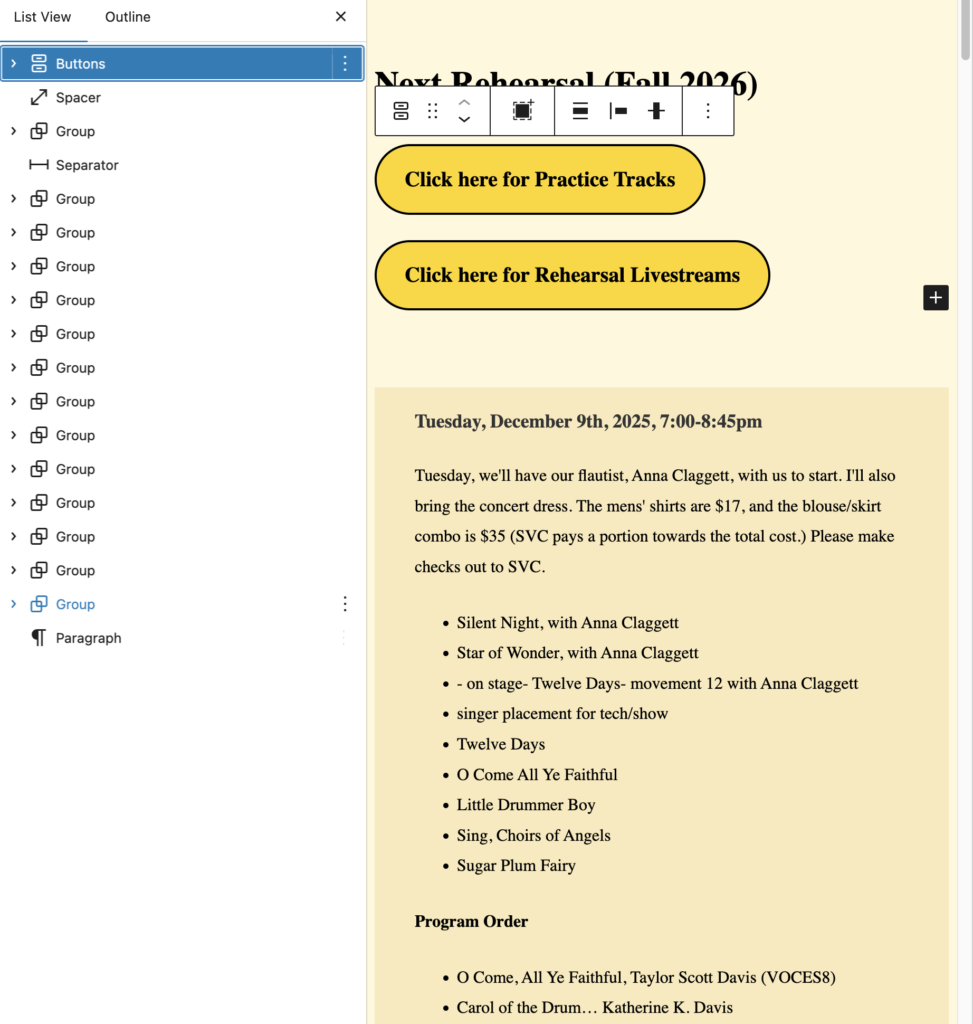
You’ll note that the contents from the previous semester are a series of Group blocks. This is because of formatting, and is the reason why we didn’t just create a new page from scratch.
Each group contains the information for one week of the semester. Typically, there will be one Group at the top, followed by a Separator block, followed by some number of Group blocks. The Separator block represents the current time; all Group blocks above the separator represent future rehearsals, all those below represent the past.
2) Now, remove (delete) all Group blocks, except for the last two…
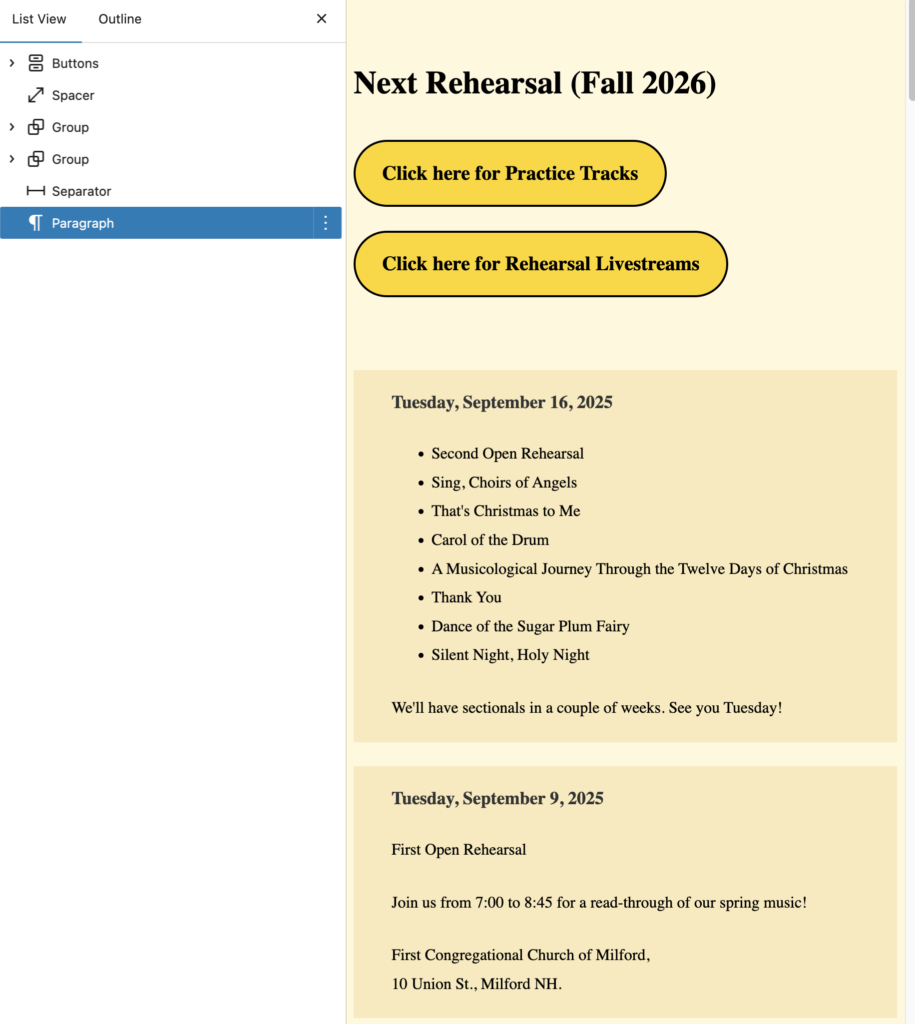
…and move the remaining two Group blocks above the separator.
These two Group blocks are for the two Open Rehearsals for the semester.
3) Finally, change the contents of the two remaining Group blocks to represent the actual Open Rehearsal information.
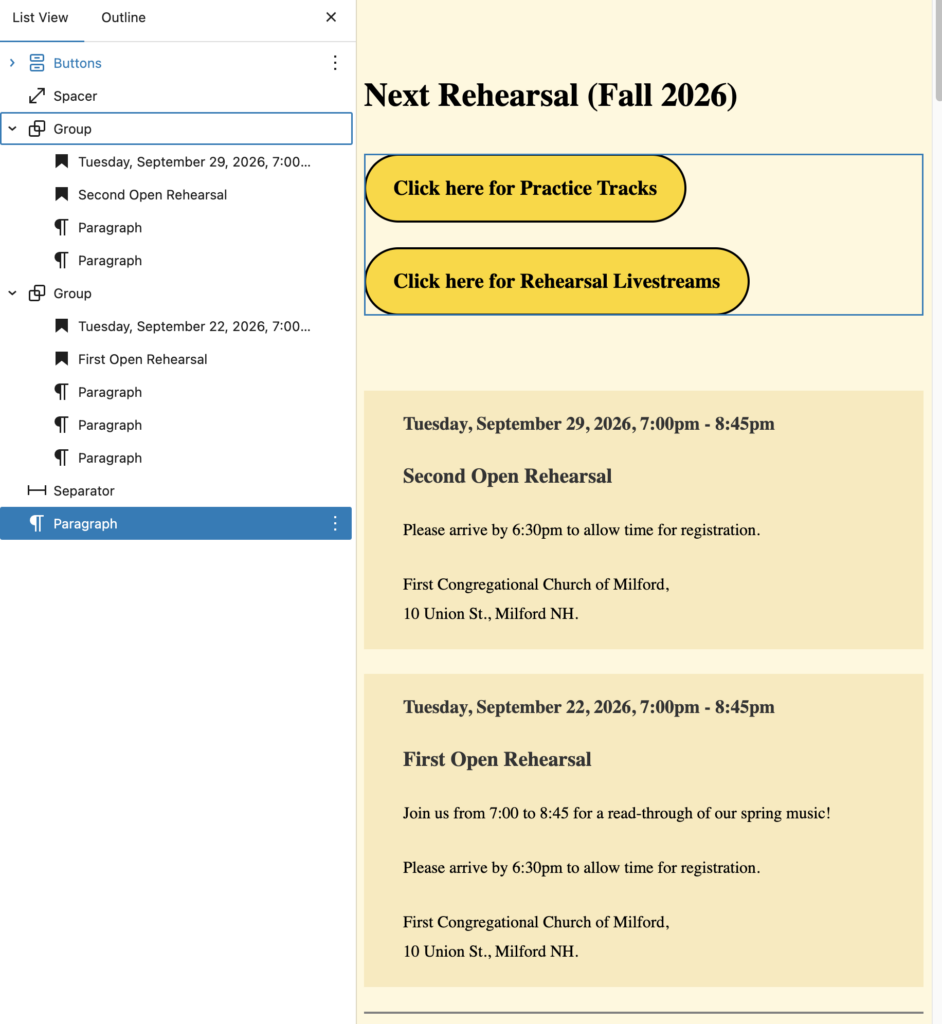
3) Now, you can save the page and publish it.
However, we have more to do… But, in the meantime, take a break!